Golpes Online
How to Remove a Fake App from Google Play and the App Store
Branddi · Published on
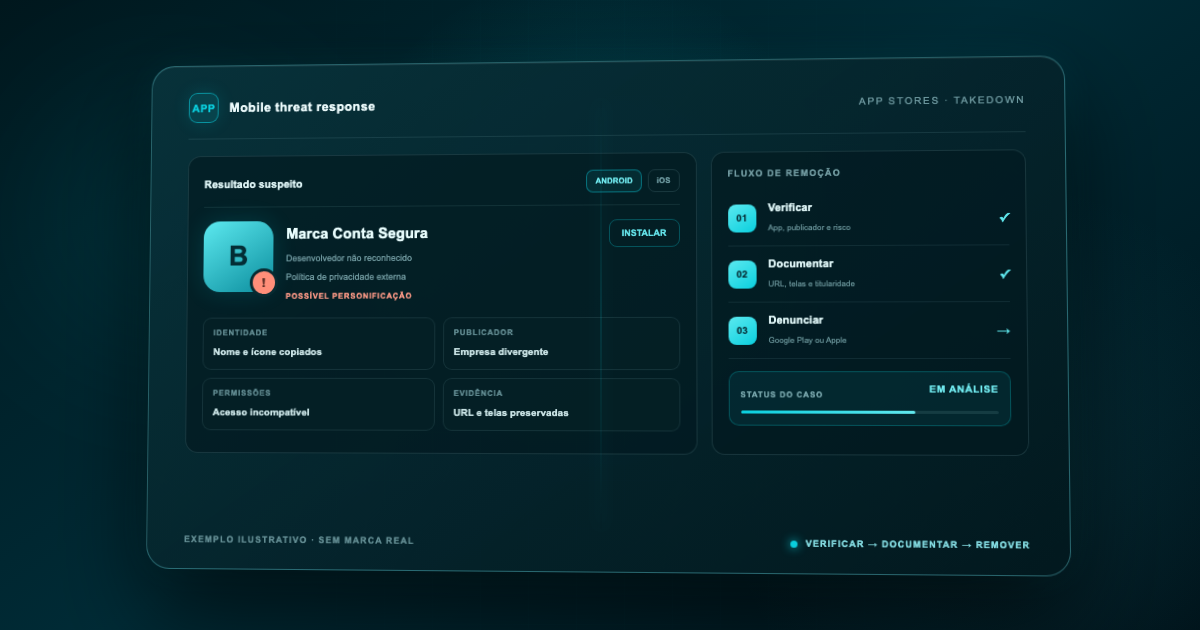
To remove a fake app from Google Play or the App Store, preserve its store listing, verify the publisher, and identify the violated right before reporting it. On Google Play, use the impersonation, trademark, counterfeit, or other applicable policy route; on Apple, use App Store Content Dispute. Retain the case reference and monitor republications.
How can you tell whether an app using your brand is fake?
A suspicious app may copy the name, icon, screenshots, description, and visual identity without any relationship to the company. Similarity alone, however, is not enough to classify the case. Compare the listing with the official app records and verify the named developer or provider.
Look for these signals:
- publisher name that does not match the legal entity or an authorized partner;
- privacy policy and domain unrelated to the company;
- free or inconsistent support email;
- copied icon and screenshots with minor alterations;
- errors in the name, description, or visual identity;
- permissions unrelated to the advertised function;
- instructions to pay, update, or log in outside official channels;
- reviews describing charges, lockouts, or credential collection.
Do not install a suspicious app on a personal or corporate device merely to test it. Technical validation, when necessary, belongs in a controlled environment managed by qualified specialists. For initial triage, the store listing usually provides sufficient evidence about identity, publisher, and claims.
Which evidence should be preserved before reporting?
Preserve the material before contacting the publisher. A listing may change, disappear in one country, or return under another identifier.
Record:
- The full store listing URL.
- The exact app and developer or provider names.
- The Android package name and App Store app ID, when visible.
- The icon, description, screenshots, videos, and claims of brand affiliation.
- Privacy policy, support website, and displayed contact details.
- Store country, date, time, and device used for the check.
- A comparison with the official app, website, and profiles.
- Trademark certificates, original files, and representative authorization.
Capture the entire listing and retain the original files. If the app appears in both stores, create a separate case for each URL and connect them in the internal log. Do not use the app name as its only identifier.
What is the difference between impersonation, trademark, and counterfeit?
The legal or policy basis determines the channel and evidence required.
- Situation — What must be demonstrated — Likely route
- The app falsely presents itself as official — Confusion created by name, icon, publisher, and description — Store impersonation policy
- A registered name or logo is used without authorization — Ownership, territory, and confusing use — Trademark complaint
- The app sells or promotes counterfeit goods — Offer and brand use on a non-genuine product — Counterfeit goods channel
- Protected images, text, or code were copied — Authorship and exact content URLs — Copyright complaint
- The app is dangerous but does not copy the brand — Conduct, permissions, and violated policy — Store safety or policy report
One app may involve several violations, but that does not justify vague reports under every category. Separate the facts and connect each allegation to its supporting evidence.
How do you report a fake app on Google Play?
Begin with the applicable policy. Google Play says apps may not mislead users by impersonating another person or organization and evaluates elements such as title, icon, description, and developer identity. The official impersonation policy is at https://support.google.com/googleplay/android-developer/answer/9888374?hl=en, accessed September 3, 2026.
For a registered trademark issue, Google's policy recommends trying to resolve the matter with the developer first. If that is unsuccessful, the owner can use the Google Play trademark form: https://support.google.com/legal/contact/lr_trademark?product=googleplay&vid=null, accessed September 3, 2026.
Prepare:
- rights owner or authorized representative contact details;
- trademark registration and protected territories;
- exact app URL;
- factual explanation of the confusing use;
- official website and app links;
- ownership and authorization documents;
- specific examples of the disputed name, icon, or content.
Google Play's intellectual property policy states that apps using third-party trademarks in a way likely to confuse users may be suspended. It is available at https://support.google.com/googleplay/android-developer/answer/9888072?hl=en, accessed September 3, 2026.
When should you use Google's counterfeit form?
Do not use this form merely because the app itself looks fake. The counterfeit channel concerns the sale or promotion of goods displaying an identical or substantially indistinguishable trademark or logo to pass as genuine.
When those facts apply, Google Play links to https://support.google.com/legal/contact/lr_counterfeit?product=googleplay&uraw=, accessed September 3, 2026.
If an app imitates a company to steal credentials but does not sell counterfeit goods, impersonation, trademark, or harmful-behavior policies may describe the problem more accurately. Classification must follow the facts, not the hope that one route will be faster.
How do you report a fake app on the App Store?
Apple maintains dispute forms for intellectual property complaints. It requires the claimant to provide contact details, identify and describe the alleged infringement, and represent that they own or are authorized to act for the infringed rights holder. The forms are at https://www.apple.com/legal/intellectual-property/dispute-forms/, accessed September 3, 2026.
For an app, select App Store and then App Store Content Dispute: https://www.apple.com/legal/intellectual-property/dispute-forms/app-store/, accessed September 3, 2026. This route covers claims that an app or Search Ad available through the App Store violates intellectual property rights.
The form may request:
- rights owner, company, agent, and additional contact details;
- type of right, such as trademark or copyright;
- territories where rights are asserted;
- disputed app or content;
- detailed explanation of the infringement;
- good-faith and authority declarations.
Apple says it generally provides a reference number by email. Include that number in the subject line of later correspondence rather than opening another form to follow up on the same case.
Does Apple remove the app immediately after a complaint?
Removal is not guaranteed. Apple says that, in most cases, App Store content comes from third-party providers and it may contact the provider so the parties can work directly toward a resolution. It also warns that claimant details and submitted comments may be shared with the disputed provider.
Use an appropriate corporate email, omit unnecessary personal data, and align the statement with legal or intellectual property teams. Provide verifiable facts and precise URLs.
Do not confuse App Store Content Dispute with App Name Dispute. The latter concerns another app blocking a rights holder from using its trademark as an app name; it is not the general route for a published impersonation app.
Must you contact the developer before reporting?
Google Play's trademark guidance recommends direct contact first when possible. An Apple dispute may also lead to communication with the provider. This does not mean a company should immediately alert a suspicious operator.
Assess the risk. If the app collects credentials, enables active fraud, or may erase evidence, preserve the material and coordinate with security and legal teams first. Log all communication and never negotiate access, payment, or withdrawal of a valid complaint.
What if the app is available in both stores?
Treat each listing as a separate asset. Google and Apple have different policies, forms, identifiers, and decisions.
- Field — Google Play — App Store
- URL and identifier — Package name and URL — App ID and URL
- Publisher — Listed developer — Listed provider
- Basis — Policy, trademark, copyright, or counterfeit — Intellectual property dispute
- Case — Google confirmation — Apple reference number
- Outcome — Active, changed, or removed — Active, changed, or removed
A decision by one store does not automatically remove the other listing. Also check external pages, ads, and profiles distributing the app. What to do when someone copies your brand online helps structure incidents spanning multiple channels.
What should you do if the complaint is rejected?
Do not repeatedly submit the same statement. Review the decision for objective gaps:
- Incorrect URL or app unavailable in the reviewed country.
- Missing ownership or authorization evidence.
- General allegation that does not identify the infringed element.
- Confusion between a fake app and counterfeit goods.
- Failure to distinguish descriptive use from impersonation.
- Mismatch between the registrant and the claimant.
Complete the evidence and reply through the channel associated with the case, when available. If fraud, malware, or user risk is involved, assess relevant safety routes too. See Digital takedown: how removal works.
How do you monitor the return of a fake app?
The app may return under a new publisher, name, icon, or package. Monitor brand-name variations, images similar to the official icon, product names, terms such as “secure,” “official,” and “support,” and common misspellings.
Track:
- time from detection to documentation and reporting;
- confirmed removal by country and store;
- name, publisher, and identifier changes;
- recurrence tied to the same website or privacy policy;
- new ads and profiles distributing the app.
A submitted report is effort; confirmed removal and controlled recurrence are outcomes. The discipline used to remove an Instagram profile impersonating a brand applies here: preserve, classify, report, and verify again.
Can you report an app simply because its brand use was not authorized?
Identify the violated right or policy and explain how the use creates infringement or confusion. Lack of a partnership alone does not replace that analysis.
Should you install the app to produce evidence?
Not on an ordinary device. If technical analysis is required, use qualified specialists and a controlled environment. Preserve the store listing before any test.
Is there a guaranteed removal deadline?
No. Timing and outcome depend on the platform, legal or policy basis, evidence, and possible interactions with the publisher. Do not present a submitted form as a completed removal.
Does removal in one country apply worldwide?
Not necessarily. Rights, availability, and decisions may vary by territory. Record the countries covered by the complaint and verify the listing in relevant storefronts.
Removing a fake app requires evidence, the correct channel, and store-by-store follow-up. Branddi Digital Fraud monitors suspicious brand use and organizes evidence and takedowns before one listing becomes a distribution network.
Official sources
- https://support.google.com/googleplay/android-developer/answer/9888374?hl=en, accessed September 3, 2026.
- https://support.google.com/googleplay/android-developer/answer/9888072?hl=en, accessed September 3, 2026.
- https://support.google.com/legal/contact/lr_trademark?product=googleplay&vid=null, accessed September 3, 2026.
- https://support.google.com/legal/contact/lr_counterfeit?product=googleplay&uraw=, accessed September 3, 2026.
- https://www.apple.com/legal/intellectual-property/dispute-forms/, accessed September 3, 2026.
- https://www.apple.com/legal/intellectual-property/dispute-forms/app-store/, accessed September 3, 2026.
Related articles
-
Internet and Social Media Scams: What the New York Bill Changes for Brazilian Brands
New York bill forces social media to verify advertisers and answer for fraud. See how it impacts Brazilian brands and what to do now.
-
Mother's Day in the beauty sector: when the competition starts before the date
The competition for Mother's Day intensifies as early as the beginning of the year, driving up media costs and requiring brands to plan ahead.
-
Tourism: last peak season recorded around 60,000 digital scam attempts linked to the sector
Branddi's survey shows an average of over 660 incidents per day during the 2025-2026 summer season.
-
6 in 10 Brazilians stop buying from a brand after being scammed, study shows
Did you know that 6 in 10 Brazilians stop buying from a brand after being scammed? In some cases, as Branddi's latest survey shows, this distancing tends to be permanent. Learn more.
-
Phishing surges 466%: is your brand the next target of AI-powered scams?
A new report reveals an unprecedented surge in phishing. Understand how this puts your revenue and reputation at risk and how to protect yourself with Branddi!